
Stop dreading tax season.
Snap a receipt, let AI extract the details, and export a Schedule C-ready report in seconds. No spreadsheets. No shoebox. Just your deductions — organized.
Freelancers miss an average of $5,600 in deductions annually.
Free for up to 10 AI scans/month · Upgrade anytime for $5/mo
How it works
From receipt to report in three simple steps
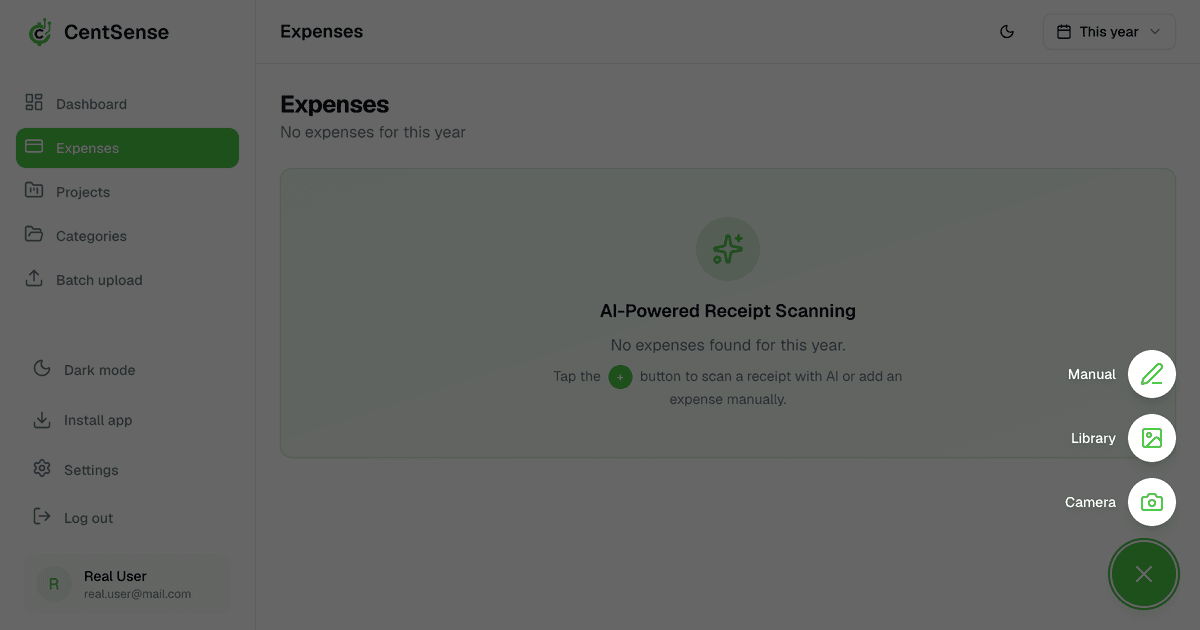
Snap or upload a receipt
Take a photo with your phone or drag-and-drop an image. Works with any receipt — restaurants, gas stations, software subscriptions.
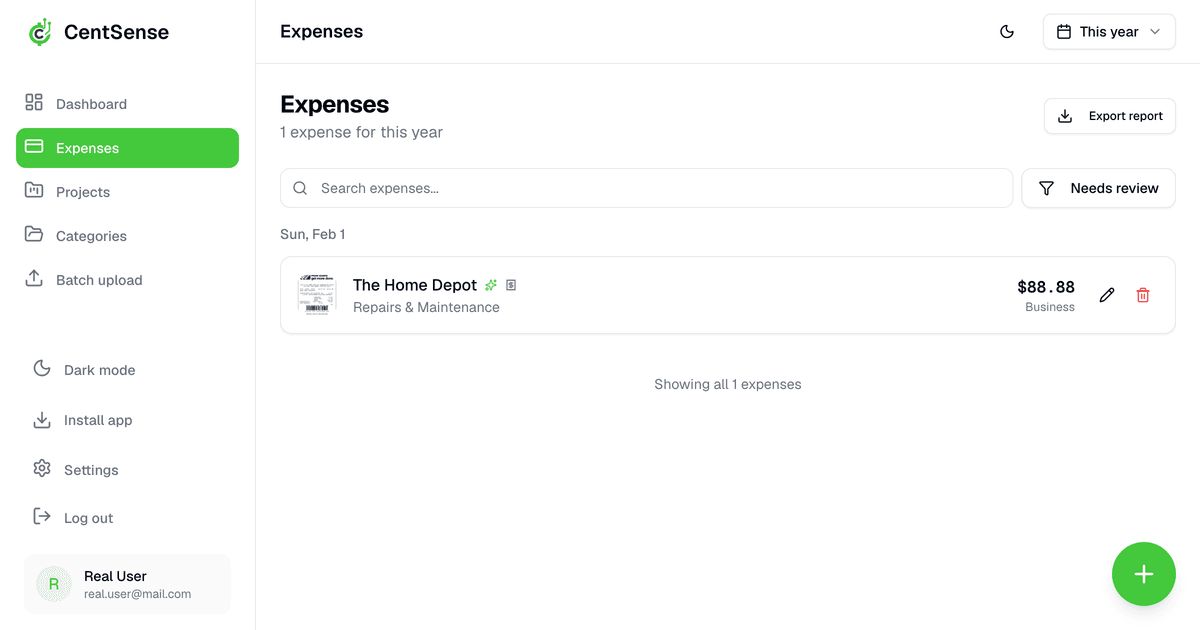
AI reads it instantly
OpenAI extracts the vendor, amount, and date — then maps it to the correct Schedule C line (advertising, meals, home office, and more).
Export when it's time to file
Download a tax-ready report with every expense pre-labeled for Schedule C. Hand it to your accountant or import it directly into tax software.
Everything you need
Powerful features to simplify your expense tracking
AI Receipt Scanning
Point your camera at any receipt. AI extracts vendor, amount, date, and line items — no manual entry, ever.
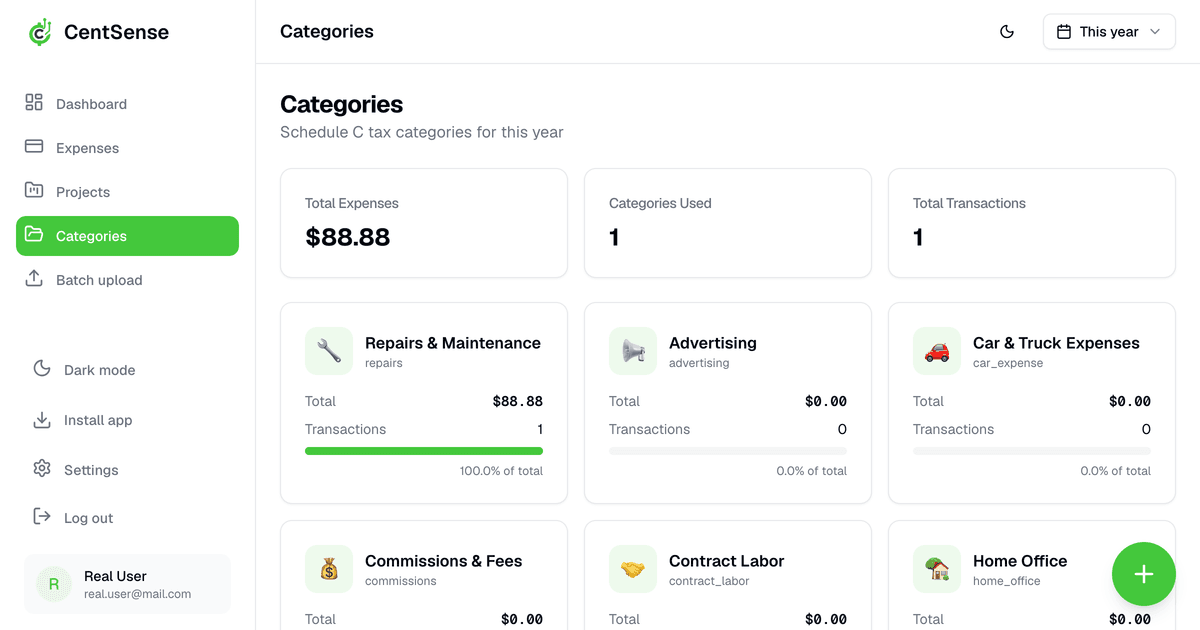
Schedule C Auto-Categorization
Every expense is tagged to the right Schedule C line: advertising, meals (Line 24b), home office (Line 30), contract labor (Line 11), and more.
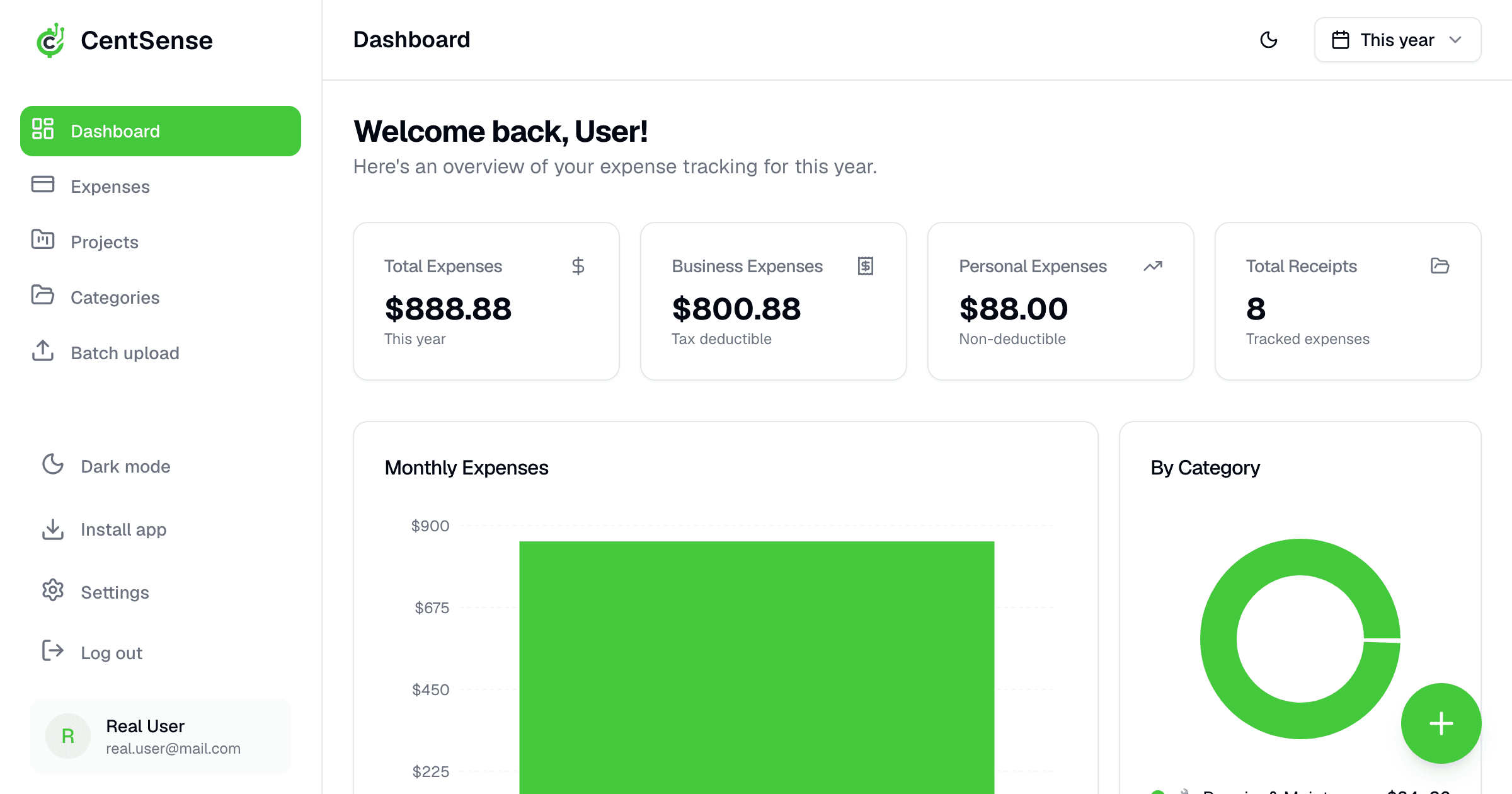
Spending Dashboard
See where your money goes by category and month. Know your travel vs. supplies vs. software spend at a glance.
Tax-Ready Report Export
One click to download a report your accountant can use directly or import into tax software. No reformatting, no last-minute panic.
Client Projects
Keep each client's expenses in a separate project. Generate per-client reports in one click — useful at invoice time and tax time.
And more…
- 🛣️ Mileage Tracking — IRS rate, auto-calculated per trip
- 📦 Batch Upload — bulk receipt processing
- 🔒 Private & Secure — encrypted, row-level security
Ready to simplify your expenses?
Start free in under 2 minutes and scan your first receipt today.
What freelancers are saying
“I used to spend an entire Sunday before tax time sorting receipts. Now I scan as I go and export in April. It's ridiculous how much time this saves.”
Cuts year-end receipt cleanup from 8 hours to about 1 hour.
Marcus T.
Freelance Designer
“The Schedule C categorization is the killer feature. Every expense already has the right line number. My accountant was shocked I had everything organized.”
Found $1,200 in missed deductions in year one.
Priya K.
Independent Consultant
“At $5/month this is a no-brainer. I was paying my bookkeeper $150/hour to do what CentSense does automatically.”
Saved roughly $900 in bookkeeping time over one tax season.
Jake R.
1099 Contractor
Join freelancers who stopped dreading tax season
Get organized all year so filing is faster, cleaner, and less stressful.
Tax season doesn't have to be painful.
Start free. Scan up to 10 receipts with AI every month. Upgrade to Solo for unlimited scans, batch upload, and report export — for less than one hour of accountant time.
Get started freeSolo plan: $5/month or $50/year
From the blog
Read practical guides for freelancers and 1099 workers on Schedule C categories, receipt tracking, and maximizing deductions.
- Church Employee Income and Schedule SE: 2026 Guide for Freelancers With a Church W-2
- Tennis, Golf and Swim Instructor Tax Deductions: 2026 Schedule C Guide for Independent Coaches
- Domicile vs. Statutory Residency: Which State Taxes Your Whole Freelance Income? (Guide for Freelancers With Two Homes)
- Prizes, Awards and Fellowships: Section 74 and 117 Tax Rules for Freelancers (2026)
- Personal Stop Between Two Clients: How Much of the Drive Is Still Deductible? (2026 Mileage Guide)